
Scenario
You would like to purchase or renew your Exclaimer subscription through Microsoft Marketplace (formerly Azure Marketplace).
Resolution
Exclaimer has an app page on Microsoft marketplace where you can buy a subscription. If you are not on automatic renewals, you can re-buy a subscription to renew your access to Exclaimer.
To purchase or renew the Exclaimer subscription through Microsoft Marketplace:
- Open Microsoft Marketplace and on the Exclaimer app page, select Get it Now.
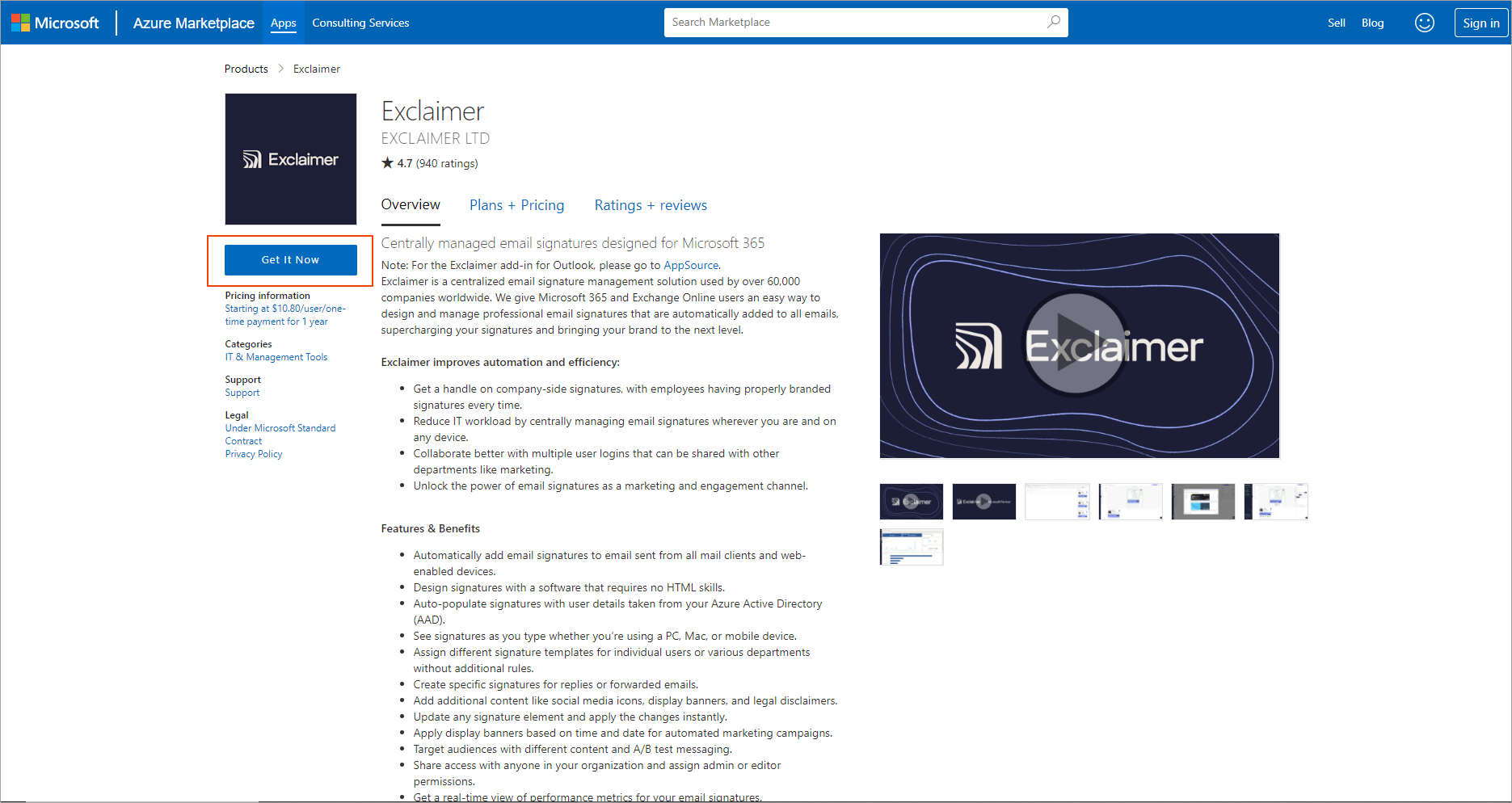
In Microsoft Marketplace, select Get it now.
- In the Sign In window, enter your account credentials and sign in. If prompted, accept the permissions request to allow Exclaimer access, then select Continue.
This opens the App Checkout.
- From the Billing country/region drop-down list, select which region your want the subscription to be hosted in.
- Select the I understand that this selection can't be changed in the future checkbox, then select Next.
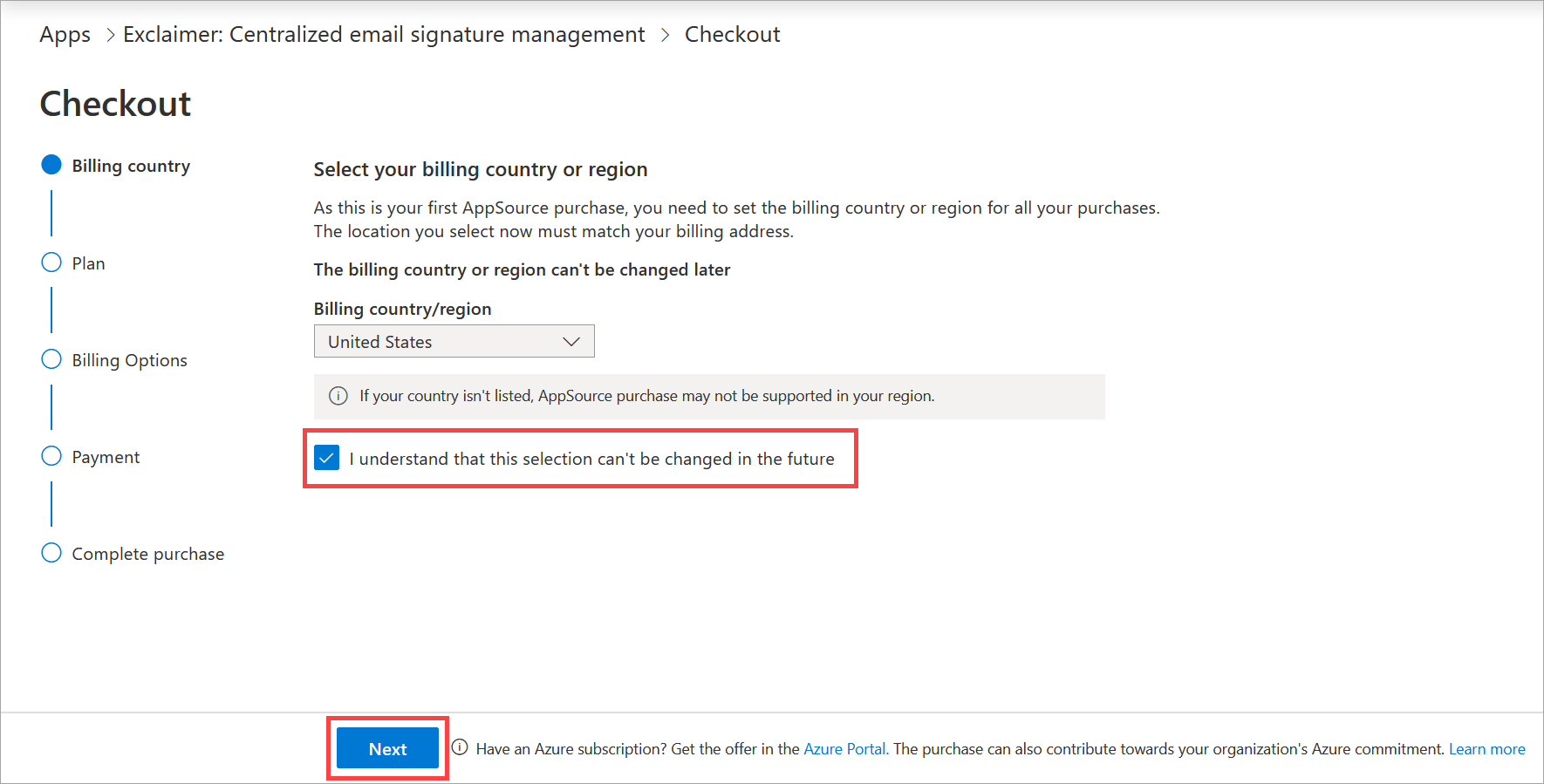
You must select the checbox before you can select Next.
-
Select the pricing plan you wish to purchase, then select Next. For information on what Exclaimer offers on different plans, see Exclaimer Pricing Plans.
NOTE: Trial subscriptions are subscribed to the Pro plan. If you wish to select a different plan when purchasing, communicate this change with your Exclaimer account manager, and see the What to expect when purchasing a Standard or Starter plan section of this article. - EITHER:
Set the Auto-renew toggle to On to automatically renew the subscription every year.
OR
Set the toggle to Off to have a one year subscription. You will be asked if you want to renew at the end of the one year period.
For more information on the renewals process, see Information on automated renewals.
-
Under Number of users, enter the quantity of mailboxes you wish to set up.
NOTE: A minimum of 10 users are required. - If applicable, select a payment method. It may be that there is only one method available.
- Select Next.
- In the Sold-to address section, select Edit. This opens the Update profile pane.
- In the applicable text fields, enter the name and contact details of the legal entity responsible for payment and identified on the invoice. Some fields are mandatory.
-
Select Save. This closes the pane. The updated value for estimated taxes based on the sold-to address is shown in the Summary section.
-
In the Payment method section, select a payment method from the drop-down menu. You may need to add a method by selecting Add a new payment method.
- Select Place order.
- You may be asked for further details after completing payment. Complete any processes you see onscreen.
An Exclaimer trial subscription trials Exclaimer's Pro plan experience. If you change your plan to Standard or Starter during purchasing, you will no longer have access to Pro plan features. The following tables outline what changes you will see to your subscription feature access if you change your trial plan to a Standard or Starter plan.
Template Limits
| Trial and Pro access | Standard Plan access | Starter plan access |
|---|---|---|
| Unlimited templates | Unlimited templates | 1 template |
Signature Designer features
| Trial and Pro access | Standard Plan access | Starter plan access |
|---|---|---|
| QR codes and vCards | QR codes only | No access to QR codes or vCards |
| Facebook Social Feed | No access to Facebook Social Feed | No access to Facebook Social Feed |
| Campaigns | Campaigns | No access to Campaigns |
| Rotating Banners | Rotating Banners | No access to Rotating Banners |
| Feedback | Feedback with limited functionality in the Customer Thermometer | No access to Feedback |
| Headline Content | No access to Headline Content | No access to Headline Content |
Configuration features
| Trial and Pro access | Standard Plan access | Starter Plan access |
|---|---|---|
| Synchronize user photos from Microsoft 365 or Google | No access to photo sync | No access to photo sync |
| Unlimited fields available in the User Details Editor | Two fields are available in the User Details Editor | No access to the User Details editor |
| Signature Analytics | No access to Signature Analytics | No access to Signature Analytics |
| User Activity Log | No access to User Activity Log | No access to User Activity Log |
| Advanced Date/Time configuration | No access to Advanced Date/Time options | No access to Advanced Date/Time options |
| Advanced rules for server-side signatures | Advanced rules for server-side signatures | No access to Advanced rules for server-side signatures |
| Integrations | No access to Integrations | No access to Integrations |