
NOTE: The Exclaimer Compliance Outlook Add-in is currently in BETA and is not yet available. Features and screens may change as we continue to refine and improve the experience.
This feature will be available for Pro Plan users only. For more information on pricing plans, see Exclaimer Pricing Plans.
This feature will be available for Pro Plan users only. For more information on pricing plans, see Exclaimer Pricing Plans.
Description
The Exclaimer Compliance Add-in creates a Policy Violation when a user changes the text of their Exclaimer-managed signature before sending an email. Each policy violation records details about the event, including who sent the email, when they sent it, and what action they took.
Administrators can review all recorded policy violations in the Compliance Dashboard.
How to access it
To access the Compliance Dashboard:
- From the menu sidebar, select Analytics.
- Select the Compliance tab.
-
Select Violation details to view the detailed info on the selected violation.
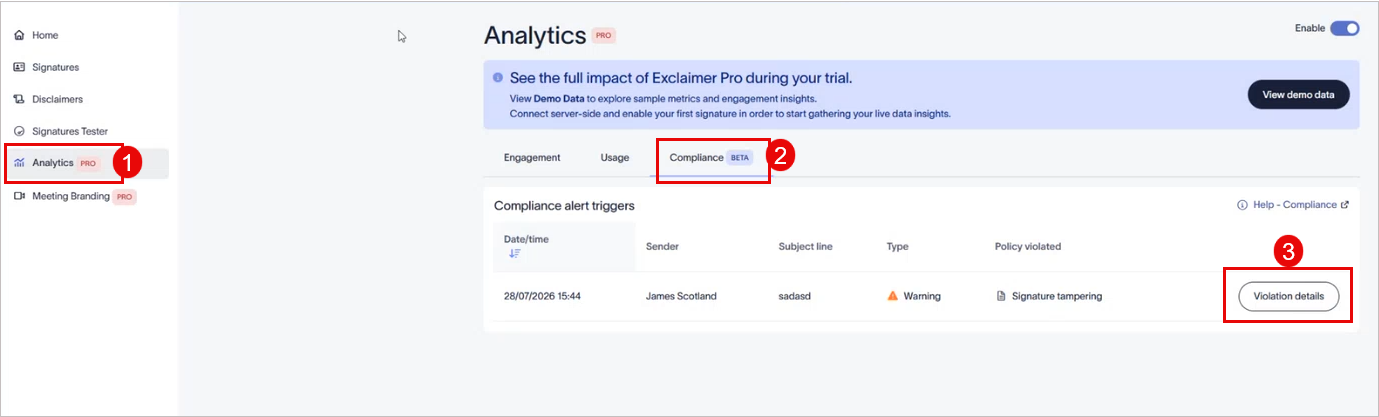
Select the Violation details button Compliance tab.
Opening violation detailsTo view the full details of a recorded violation:
- Select Violation details on the relevant row.
The Violation details window is displayed.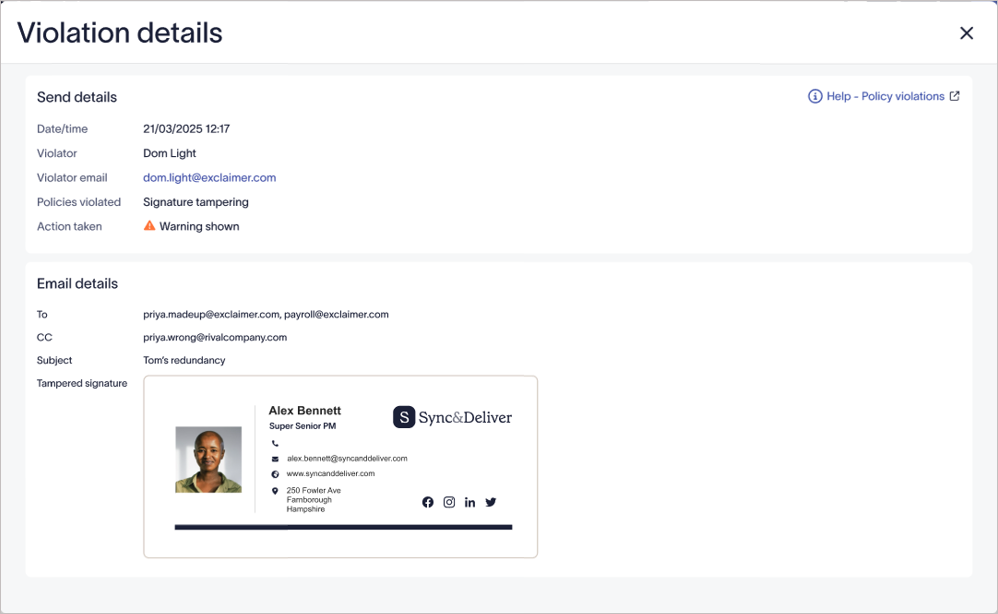
Example image for violation details.
The Violation details view displays the following information:
- The sender's name and email address.
- The exact date and time the email was sent.
- The policy that was violated.
- The action taken.
- The recipients of the email (To and CC).
- The email subject line.
- A preview of the signature exactly as it appeared in the sent email.
NOTE: The Compliance Add-in does not block your email or disrupt mail flow. A recorded violation only indicates that a warning was shown to the sender, and it does not mean the email was stopped. - Select Violation details on the relevant row.