
Scenario
You have an Exclaimer subscription and need a copy of an invoice. You would like to know where to locate the invoice.
Resolution
Select an option below to view the related instructions:
If you are a direct customer with Exclaimer
To download an invoice:
NOTE: This section is only visible to users who have the Owner or Finance user roles.
To view the user with the Finance role and for more information on the actions a Finance role user can perform, see User Management.
To view the user with the Finance role and for more information on the actions a Finance role user can perform, see User Management.
- Log in to your Exclaimer account using your subscription Owner or Finance credentials and launch your subscription.
NOTE: If you have multiple subscriptions, the system will not automatically launch your subscription. Select Launch next to the relevant subscription. - From the header bar, select the initials icon to open the Account menu, then select Invoices.
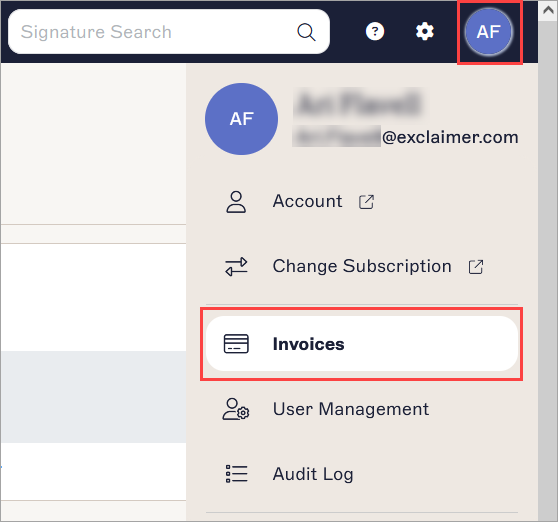
The Invoices page is found in the menu under the initials icon.
This opens the Manage Subscription tab on the Account page. The Invoices section displays a list of invoices up to one year (since Oct 2023), with date and invoice number.
- Select DOWNLOAD to download the invoice in a PDF format.
If you are a reseller
To download an invoice:
NOTE: This section is only visible to users who have the Owner or Finance user roles.
To view the user with the Finance role and for more information on the actions a Finance role user can perform, see User Management.
To view the user with the Finance role and for more information on the actions a Finance role user can perform, see User Management.
- From the Subscriptions section of the Home page, select the subscription portal.
- Select Manage.
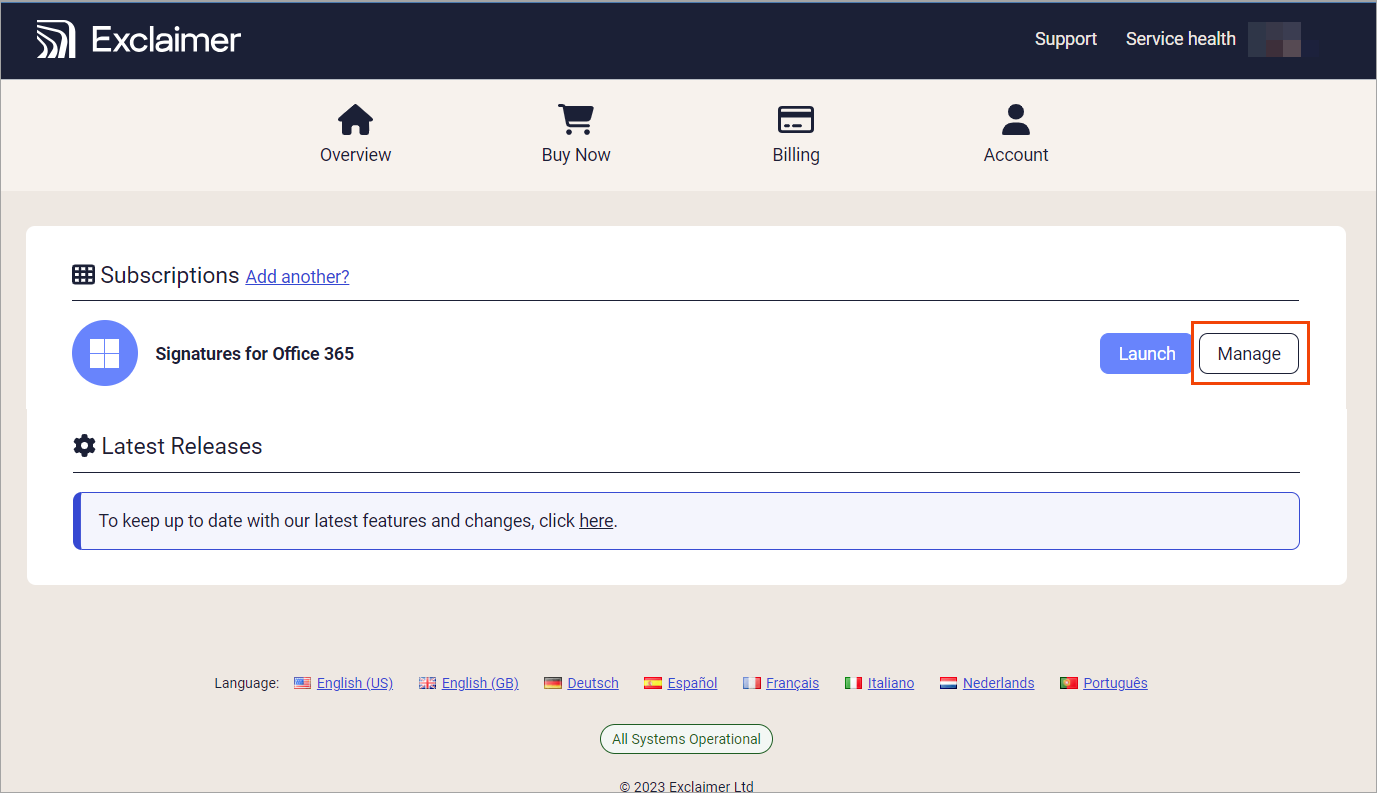
Select the Manage button to open the Manage screen.
NOTE: If you have multiple subscriptions, access the Manage screen by logging into the Exclaimer portal and selecting Manage next to the relevant subscription.The Invoices section displays a list of invoices up to one year (since Oct 2023), with date and invoice number.
- Select DOWNLOAD to download the invoice in a PDF format.
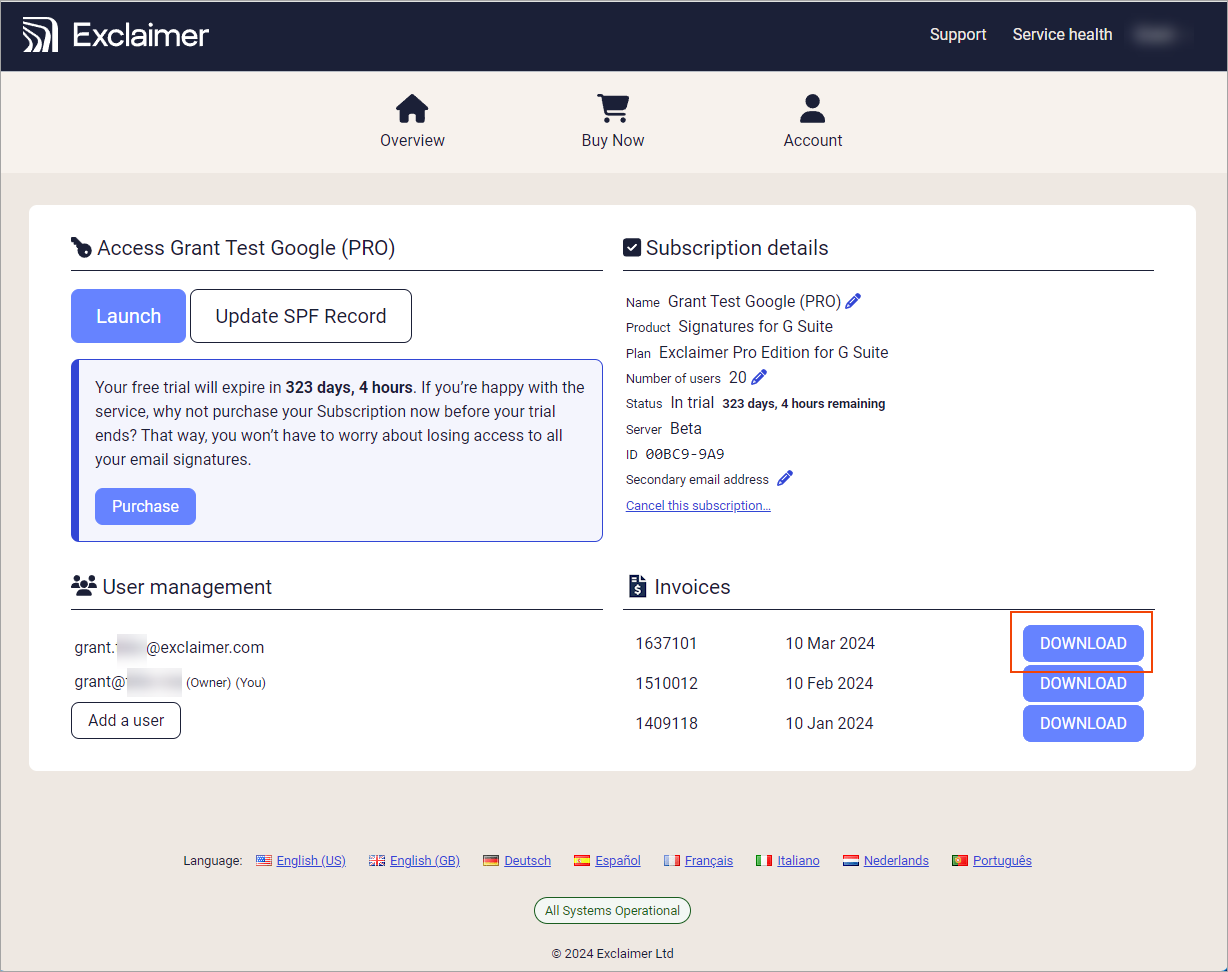
Select Download to download the invoice.
If you are a distributor
To view an invoice:
-
Raise a ticket with Exclaimer's Support team. Select Account Services.
-
Enter the details for your ticket:
- In Description: Enter the invoice dates you require.
- In What can I help you with: Select Billing, then select Resending invoices.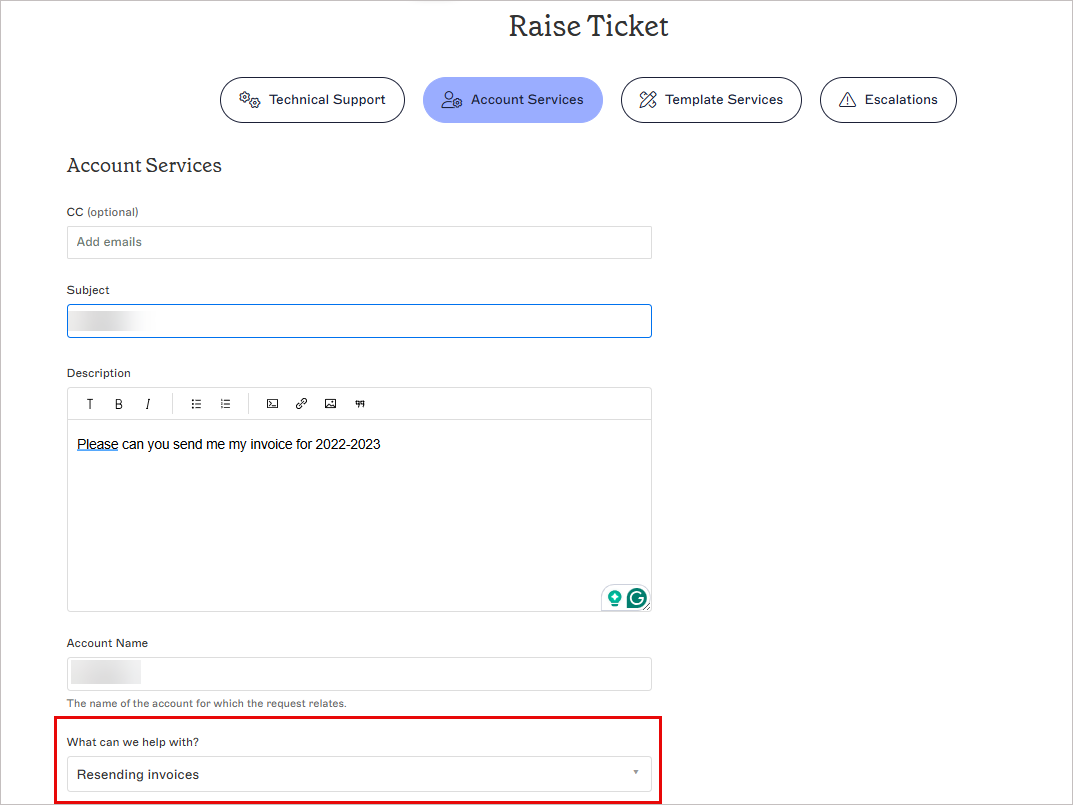
Fill in the details. - Submit your request.
One of our agents will send the invoices you requested as soon as possible.