
Description
The Move option allows you to move a signature between the All Signatures list and folders, including from one folder to another.
NOTE: This option is only available to users on Standard or Pro plans. For more information, see Exclaimer Pricing Plans.
How to access it
To access the Move option:
- Log in to Exclaimer and select Signatures from the menu sidebar.
-
In the signature card, select the vertical ellipsis menu to locate the Move button.
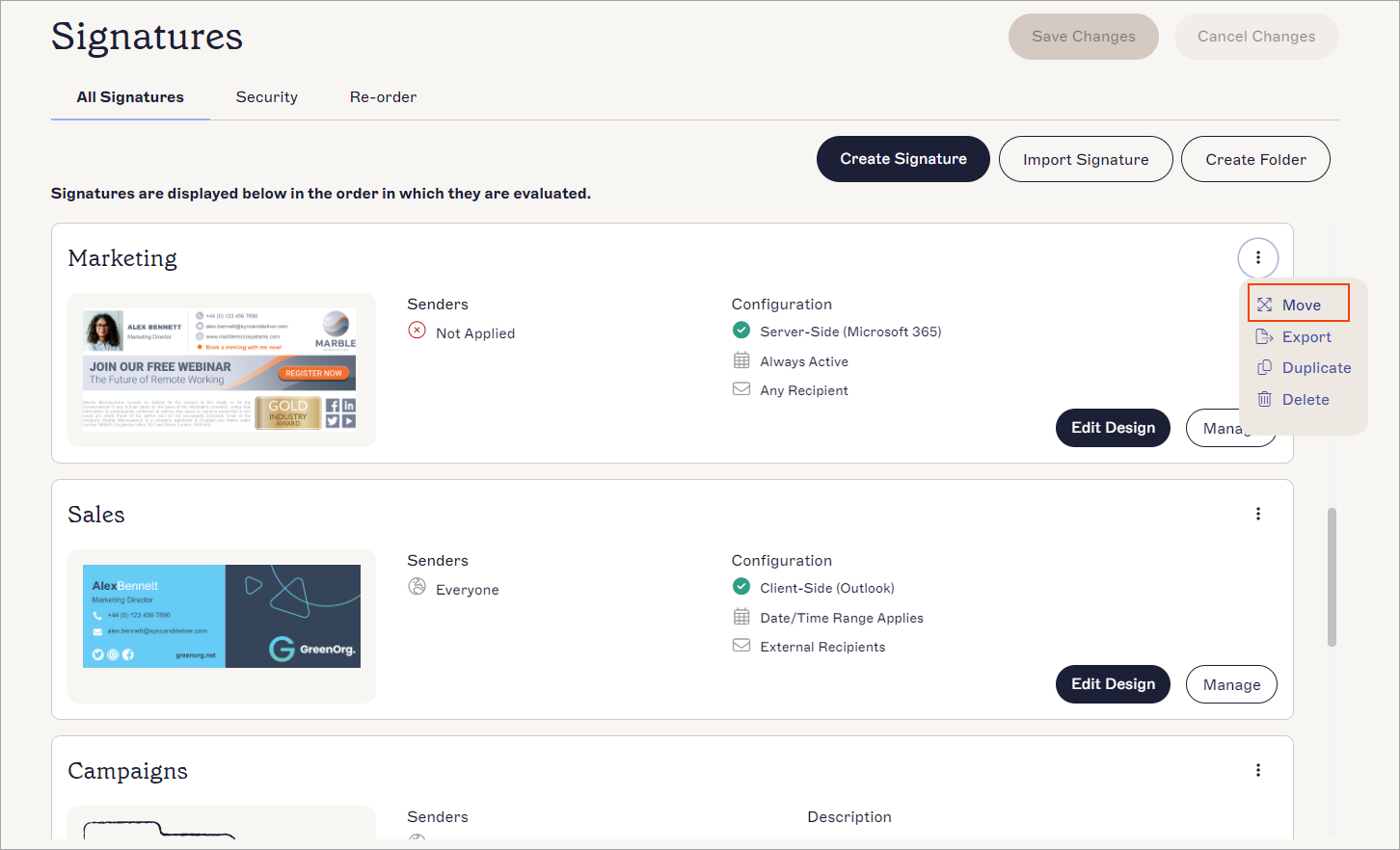 The Move button is found in the vertical ellipsis menu.Tip! You can also move a signature from the Manage screen. Select Move to Folder from the Additional Actions section.
Moving signatures
To move a signature to a new location:
- Select Move or Move to Folder.
The Move [Signature Name] window is displayed.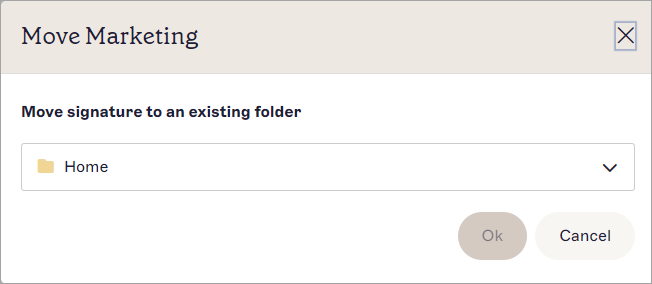
The Move [Signature Name] window.
-
From the drop-down list, select a folder to move the signature to.
NOTE: The All Signatures list is labelled Home in the drop-down. Select Home to move the signature out of the current folder and into the All Signatures list. - Select OK. The signature is removed from the current folder and moved into the selected folder.