
Scenario
You are using Exclaimer in Classic Outlook desktop, and you use images from the website platform Squarespace. You find that images are not displaying in your email signatures in Classic Outlook, but they do appear in New Outlook.
Reason
Squarespace automatically converts all images into WebP format when displaying them, and Classic Outlook does not support WebP images.
NOTE: Squarespace uses a CDN tool for image optimization. Other platforms using this tool may also cause you to experience this issue.
Resolution
You can stop Squarespace from converting images to WebP in the Squarespace settings.
Alternatively, you can store images for use in your Exclaimer signature in a different location, such as Dropbox, or use embedded images when creating your templates and upload a PNG or JPG to the template directly.
To disable Squarespace WebP conversion:
- Log into Squarespace and open Settings from the dashboard.
- From the sidebar, select Website.
- Locate and select Image Settings.
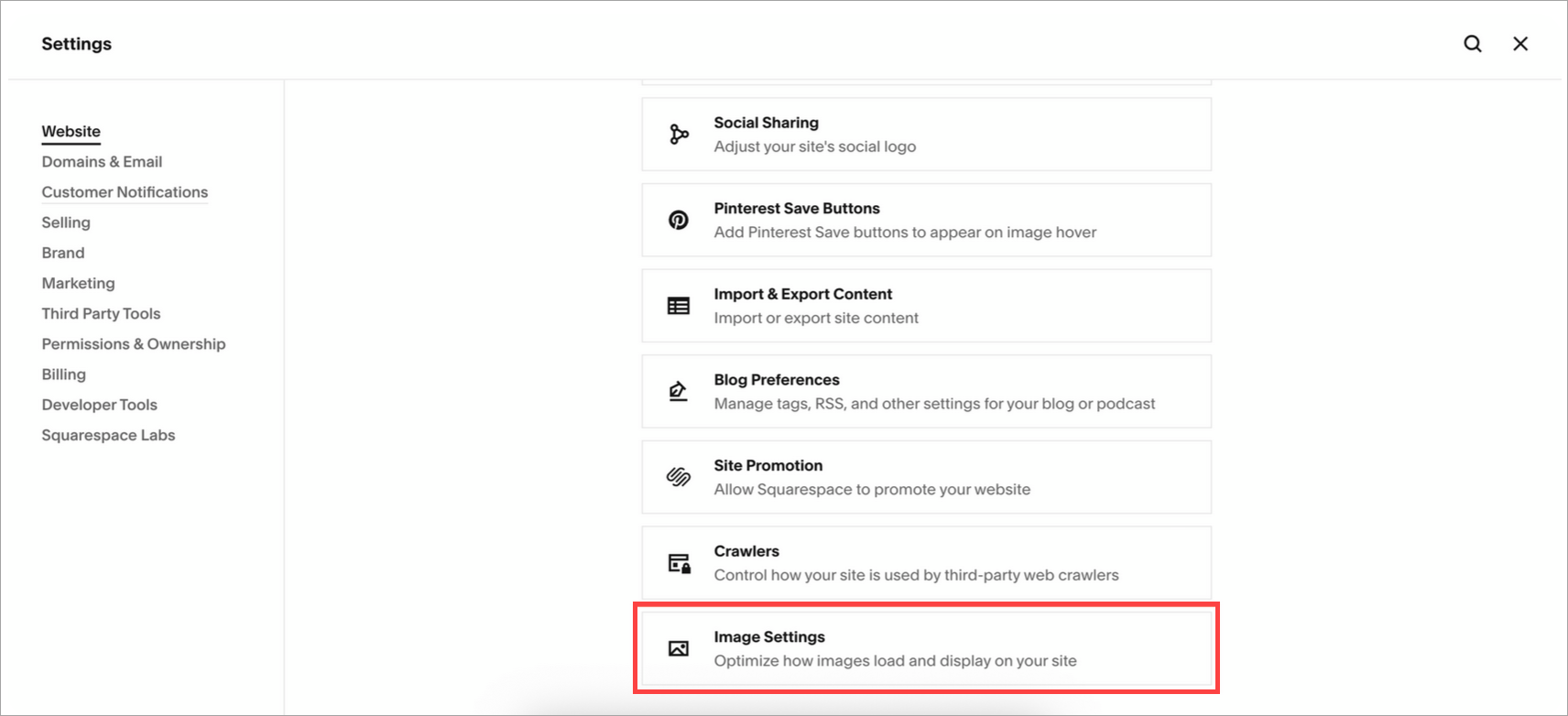
Navigate to Website > Image Settings.
-
Select the WebP image format toggle to set it to Off.
- Select Save.