
Scenario
You have received an email telling you that you have been invited to use Exclaimer and you want to know how to complete the sign up process.
Resolution
The owner of the Exclaimer subscription has added you as a user to this Exclaimer account. To start using Exclaimer, follow the link in the email and fill out your details.
To complete your user setup for Exclaimer after receiving an invitation:
- Select the Access Exclaimer link in your email to open the Join workspace page.
- Select your sign up method.
EITHER:
Select Continue with Microsoft or Continue with Google.
OR
Select Sign up with work email.
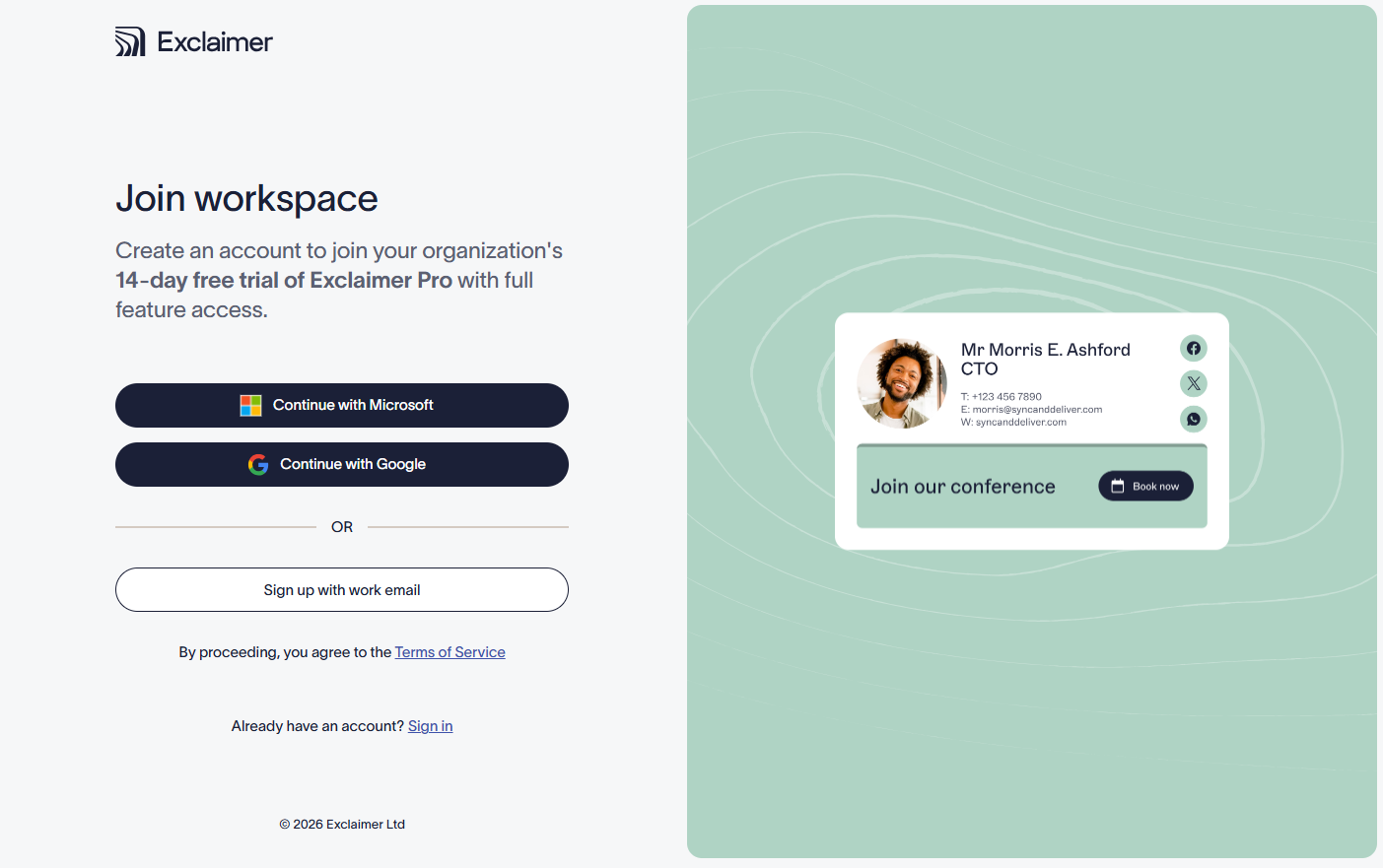
Choose a sign in method.
- If you are signing up with Microsoft or Google, you are redirected to the relevant login page for your service. Sign in with your Microsoft or Google login and select Next.
- You may receive a request to provide multi-factor authentication. Follow the prompts to complete the sign-in process.
- Accept permissions from Exclaimer if prompted.
- If you are signing up with email, choose a password for your account and select Sign up with email.
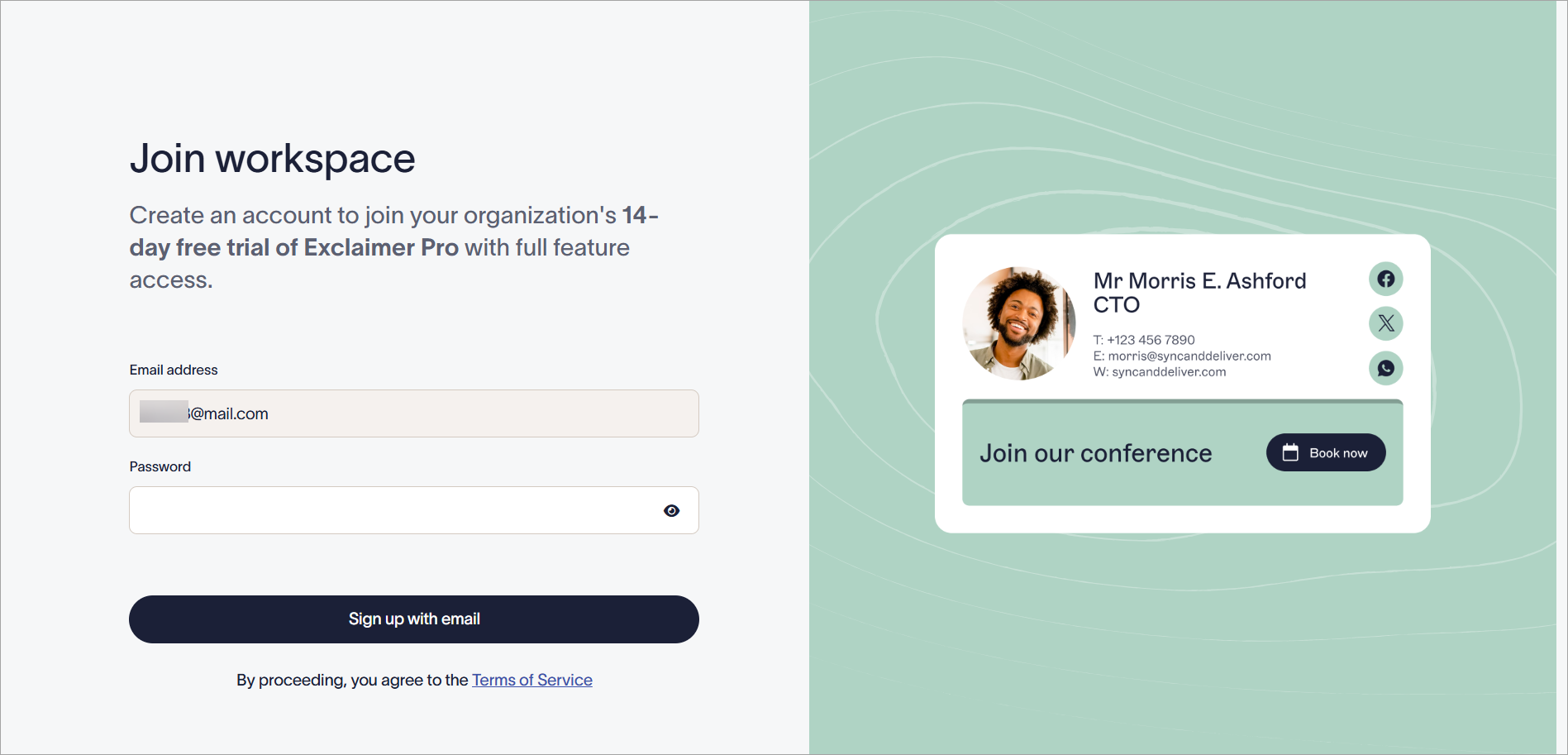
Choose a password and select Sign up with email.
- On the Let's get to know you screen, check or edit your First name, Last name, and [optional] Phone number in the respective fields, then select Continue.
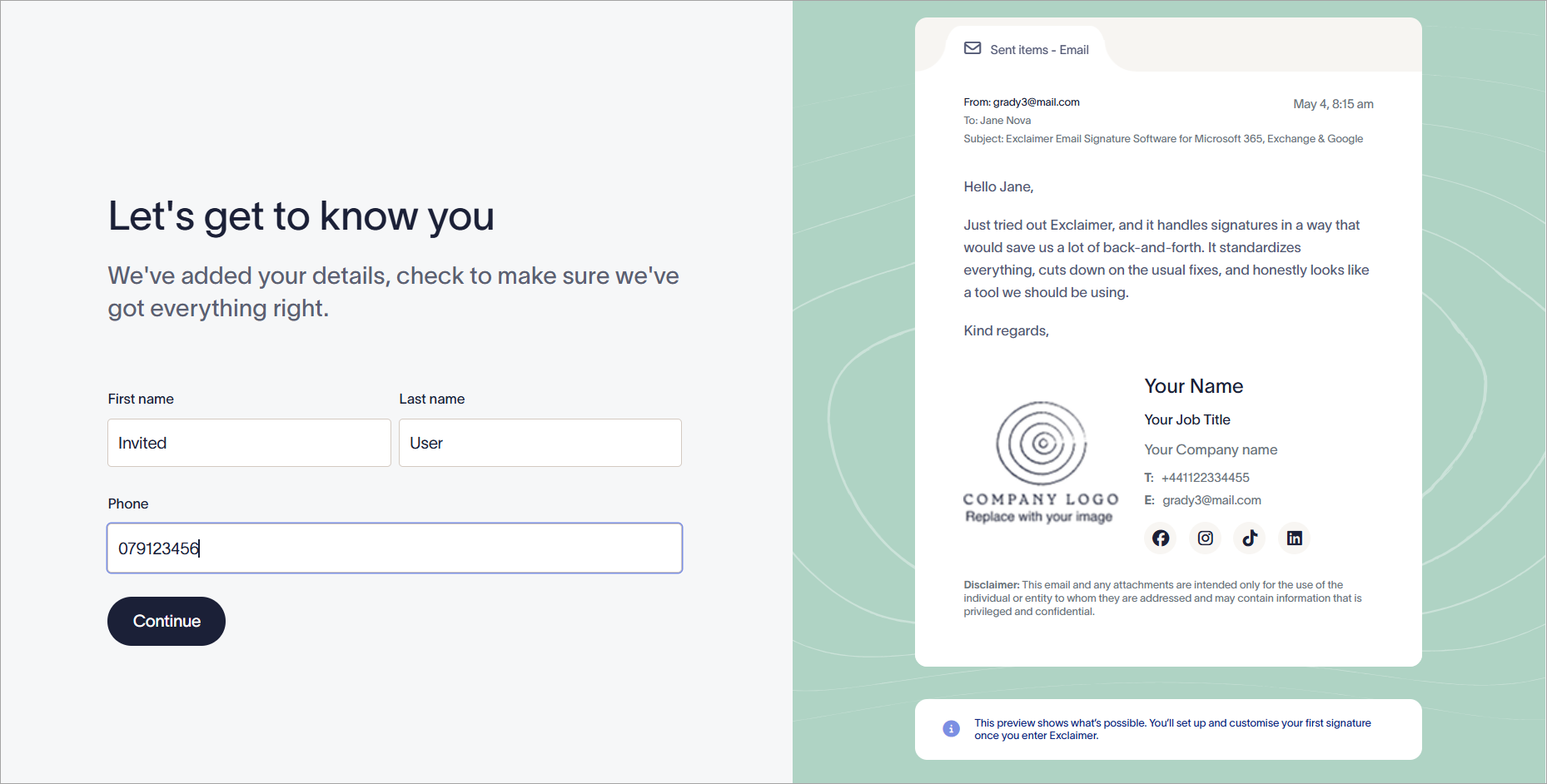
Enter or edit your personal details.
-
Select the applicable checkboxes on the What's your main goal? and What is your department? pages to help Exclaimer guide you in the best way to use your subscription. Once done, select Continue.
OR
Select Skip to proceed without answering.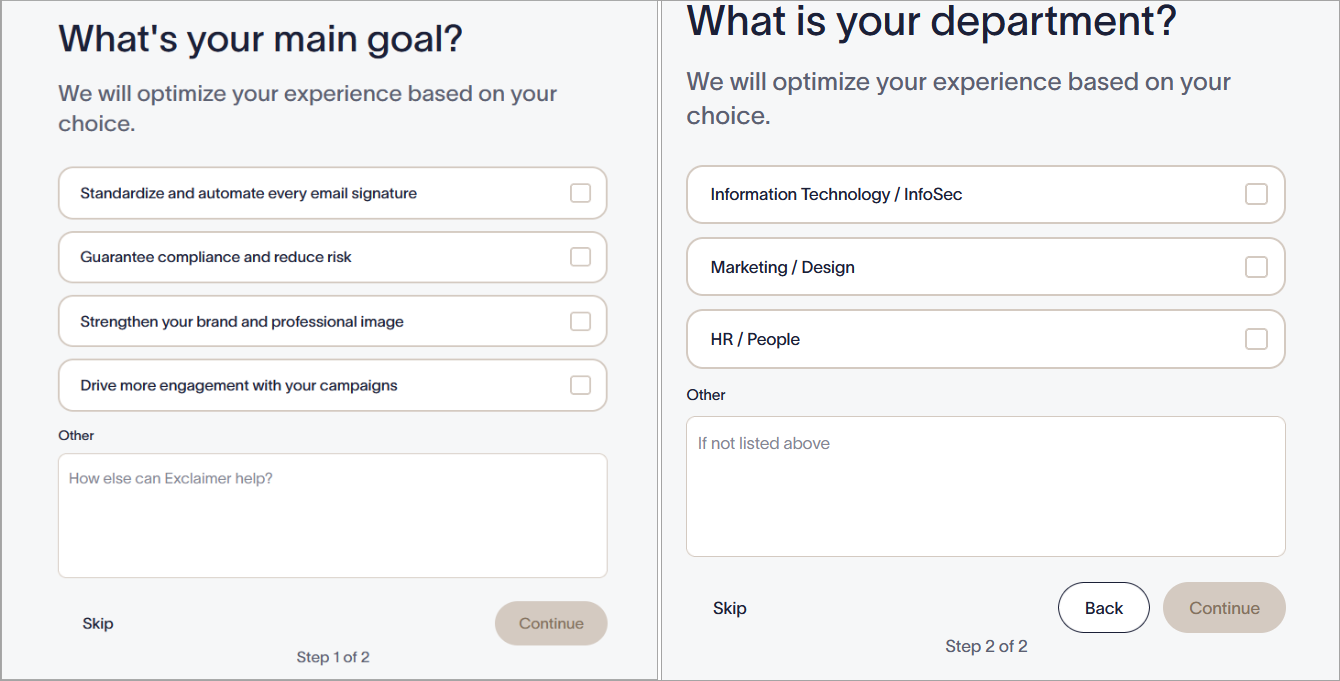
Fill out your work goals to optimize your experience.
This launches your Exclaimer subscription.
Next steps: Follow the setup checklist on the Home page to start using Exclaimer. Note that what is available to you may depend on the user role the subscription owner assigned to you. For a guide on where you can find features in your subscription, see Navigation hints to help you explore your new account.