
Scenario
In a Remote Desktop Services (RDS) environment configured with FSLogix profile containers, some users report that Outlook add-ins begin failing Microsoft sign-in authentication after several days of normal operation, despite working correctly immediately after initial login.
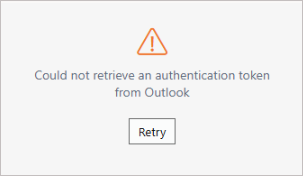
Example image showing the Add-in error message.
Reason
The issue is caused by outdated or corrupted sign-in tokens saved in the user profile. Since FSLogix keeps %LOCALAPPDATA%, the bad tokens persist across sessions and eventually prevent Outlook add-ins from signing in.
Resolution
Clear the saved sign-in cache for the affected user. After deleting the folders below and signing out and back into RDS, the Outlook add-in sign-in should work again:
- %LocalAppData%\Microsoft\IdentityCache
- %LocalAppData%\Microsoft\OneAuth
- %LocalAppData%\Packages\Microsoft.AAD.BrokerPlugin_*
If the issue continues after clearing the cache, please open a support ticket for further investigation.