
Scenario
In a Microsoft 365 tenant using Exclaimer, with Safe Attachments enabled and Dynamic Delivery set for unknown malware, messages may be delayed or not delivered.
NOTE: For more information, see Messages with attachments are not delivered when MDO Dynamic Delivery and Exclaimer are used.
Resolution
To resolve this issue, configure the Exclaimer rule to bypass attachment scanning until the message has been processed by Exclaimer. Follow these steps:
Sign in to the Exchange Admin Center.
Navigate to Mail flow and select Rules.
In the Do the following section, add a new action by clicking the + icon.
For the new And action, select Modify the message properties, select Set a message header.
-
Enter the following:
Message Header: X-MS-Exchange-Organization-SkipSafeAttachmentProcessing
Value: 1
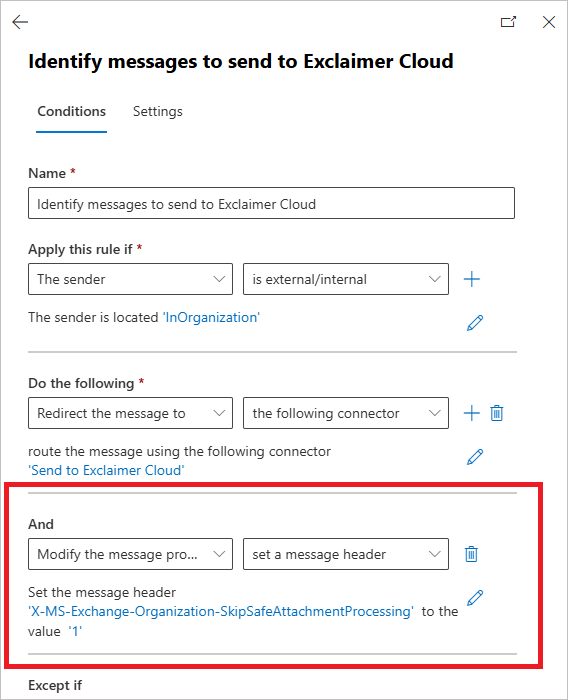
Enter the Message Header and Value
Save the changes made.