
Scenario
You want to find out which plan type (also known as subscription tier) your Exclaimer subscription is on.
NOTE: You must be an Owner or Admin to locate your plan type. For more information on roles and permissions, see User Management.
Resolution
To locate your plan type:
- Log in to your Exclaimer account using Owner or Admin credentials.
-
If you have only one subscription, your subscription will launch automatically. Navigate to the portal by selecting the initials icon in the header bar to open the Accounts menu, then selecting Account.
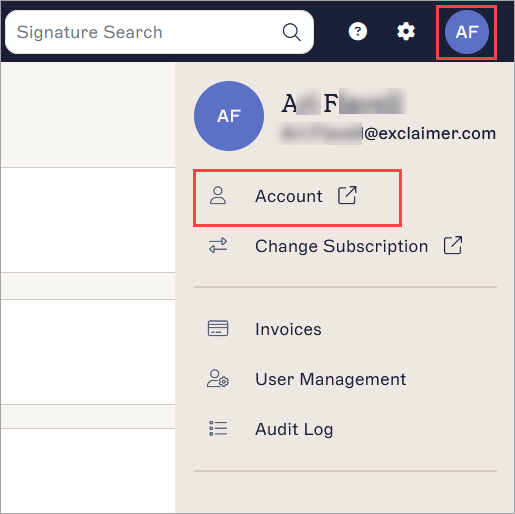
The Account menu is found under the initials icon. The initials are of the user currently logged in.Tip! You can also access the portal by selecting the subscriptions portal link in the Subscriptions section of the Home page, or by selecting Sign out from the Account menu. - Locate your subscription and select Manage.

The Manage button is only available for subscriptions where you are the Owner or Admin.
-
In the Subscription details section, locate the Plan line. This shows whether you are on a Starter, Standard, or Pro plan.
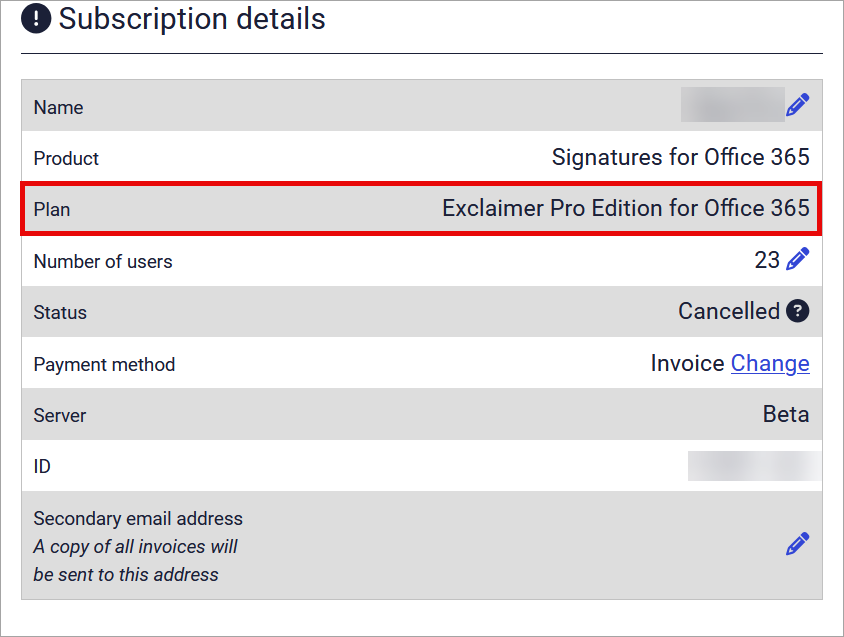
The Plan line of the Subscription details section shows which subscription tier you have.NOTE: If the Plan field lists a different value, such as 'Signatures for Office 365', you may be on a legacy plan.