
Scenario
When using Safari, clicking Download on an invoice does not trigger any visible action or download.
Reason
The behavior is caused by Safari blocking pop-ups without making it obvious to the user.
Resolution
To resolve this issue, you need to manually enable pop-ups for the Exclaimer site.
To manually enable pop-ups:
- Open the Exclaimer Invoices page.
- Open Safari.
- Select Safari menu, then select Settings...
The Settings window is displayed.
- Select the Websites tab.
-
From the sidebar, under General, select Pop-up Windows.
The currently open website (<regionID>.signatures.exclaimer.net) should show up in the list.
- Set the option to Allow.
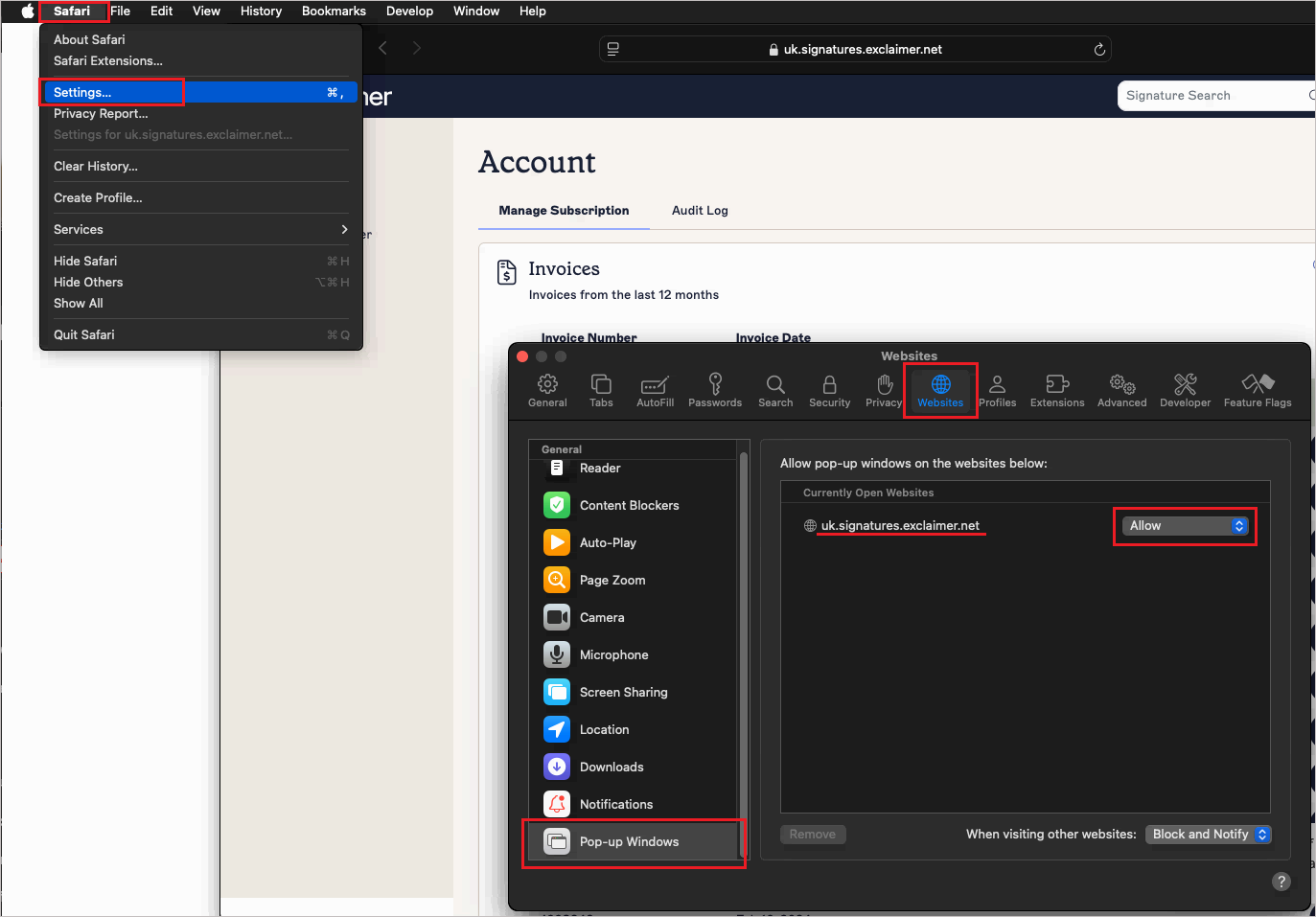
Set Allow pop-ups for the website.
- Refresh the Exclaimer website and try downloading the invoice again.