
Scenario
You are an Exclaimer reseller and want to add a customer with an existing subscription to your reseller account.
Resolution
You must raise an Account Services ticket to request a transfer of the customer's subscription to your account.
To request a transfer:
-
From the header of this webpage, select Submit a request to open the Raise a ticket page.
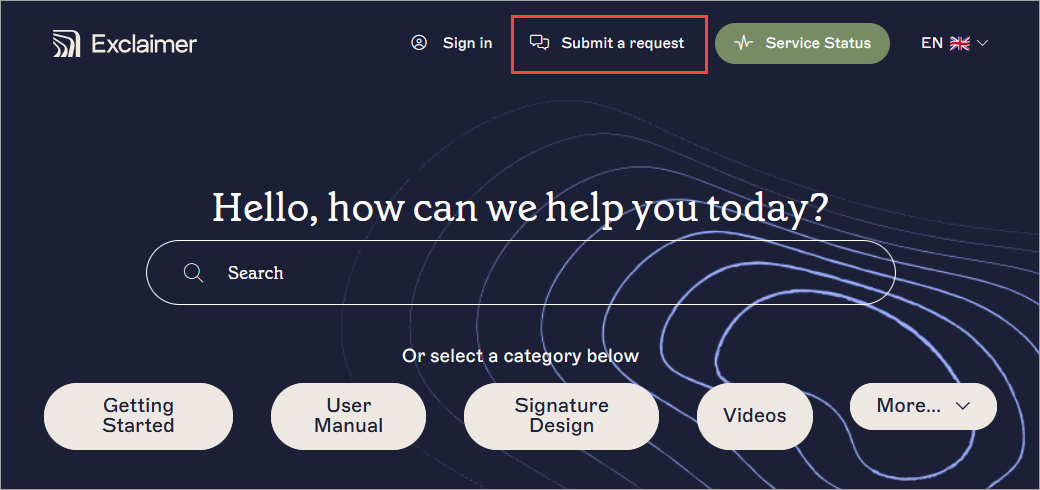
Select Submit a request from the header of the knowledge base.Tip! You can also access the Raise a ticket page from the footer of any knowledge base article, or from the Help menu in the Exclaimer portal. See Support ticket for more information. - Select Account Services. This opens the Account Services ticket form.
- Under Your email address, enter a contact email for our team to reach you at.
- Under Subject, enter a subject line for your request.
- Under Description, enter your request along with as much of the following information as possible:
- Subscription ID: Include confirmation of the subscription ID associated with the customer's account that needs to be moved to the new reseller. This ID helps Exclaimer identify the specific account and facilitate the transfer accurately.
- Name of the End User: The name of the customer who is being transferred.
- Name of the Current Reseller: The name of the reseller that currently manages the customer's account.
- Name of the New Reseller: The name of the reseller who will be taking over the customer's account.
- Approval of All Involved Parties: Make sure that all parties involved in the transfer, including the customer and both resellers, have given their approval for the transfer to take place.
- Owner/Portal Email Address: Provide the email address associated with the customer's account Owner or portal administrator.
- Invoicing Email Address: Specify the email address where invoices should be sent for the customer's account.
- Preferred Payment Type: Indicate whether the customer prefers to make payments on a monthly or annual basis.
- Preferred Payment Method: Choose the preferred payment method for the customer's account, such as credit card, direct debit, or payment on invoice.
-
Proof of Paid Invoices: Provide written confirmation or proof of any outstanding invoices that have been paid prior to the transfer request.
- Under Account Name, enter the name of the account which the request is for.
- Under What can we help with, open the drop-down menu and select Account, then Transfer Subscription.
- [Optional] Under Attachments, drag and drop or select to upload any files you wish to attach, such as screenshots.
- Select Submit.
Once submitted, the Exclaimer Accounts department will verify that all invoices are clear before proceeding with the transfer. Ensure all outstanding payments have been settled to avoid any delays in the transfer process.
Once all the necessary information has been provided, invoices are clear, and the Subscription ID confirmation is received, then Exclaimer will process the transfer within 1-2 business days. The customer's account will be moved from the current reseller to the new reseller.