
Description
When you create an Exclaimer account, you provide an email address to sign in to the portal. You can change this email address at any time.
If you are logged in as the account Owner, you can change the email address associated with the Owner account. The new email address becomes the sign-in address for the same account.
How to access it
To access the Change email address option:
- Log in to the Exclaimer portal and navigate to the Accounts tab.
-
In the Accounts tab, under the Security section, select Change email address.
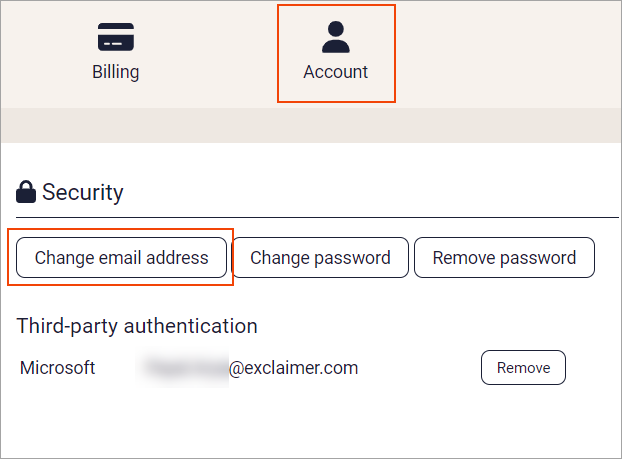
Change email address option
The Change email address page is displayed.
Changing email address
To change the email address:
-
In New email address, enter the new email address you want to use.
This updates the account you are logged in to. If you are the Owner, it updates the Owner account.NOTE: You cannot use an email address that another portal account already uses. - If prompted, enter your password.
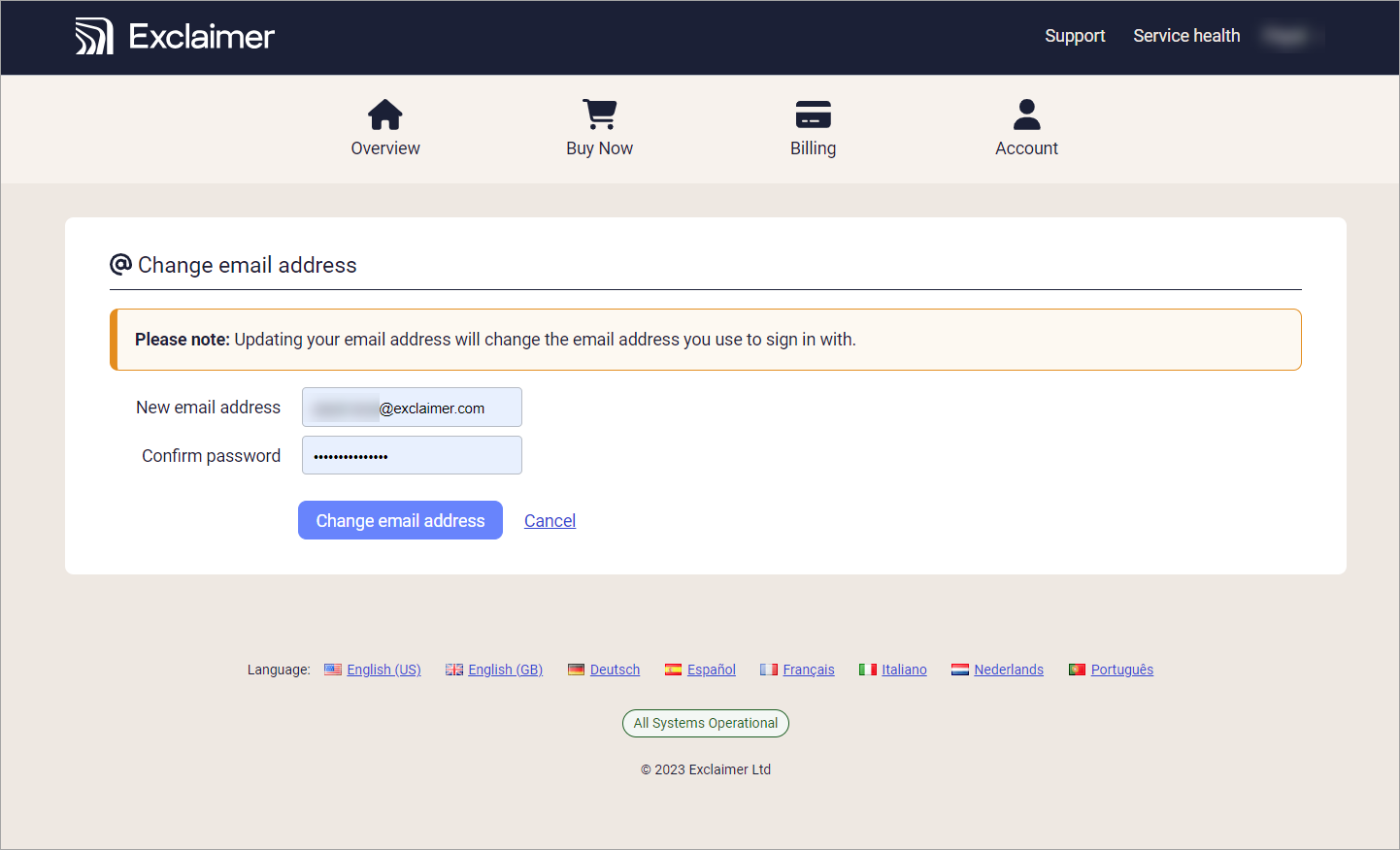 Enter your new email address and password.
- Select Change email address to save the changes made to your email address.
Use your new email address to sign in to the Exclaimer portal. If you changed the email address for the Owner account, the Owner must use the new email address to sign in.