
Scenario
You are sending emails from Outlook mobile and you notice that emails have the message 'Get Outlook for iOS' or 'Get Outlook for Android' attached to the email content. You want to stop this from applying to your emails.
Resolution
This message is registered as a signature in the Outlook Mobile app. You can erase it manually on your device in the app's settings.
To remove the Get Outlook for... signature:
- Open the Outlook Mobile app.
- Select your profile icon, then select the cogwheel icon in the sidebar to open Settings.
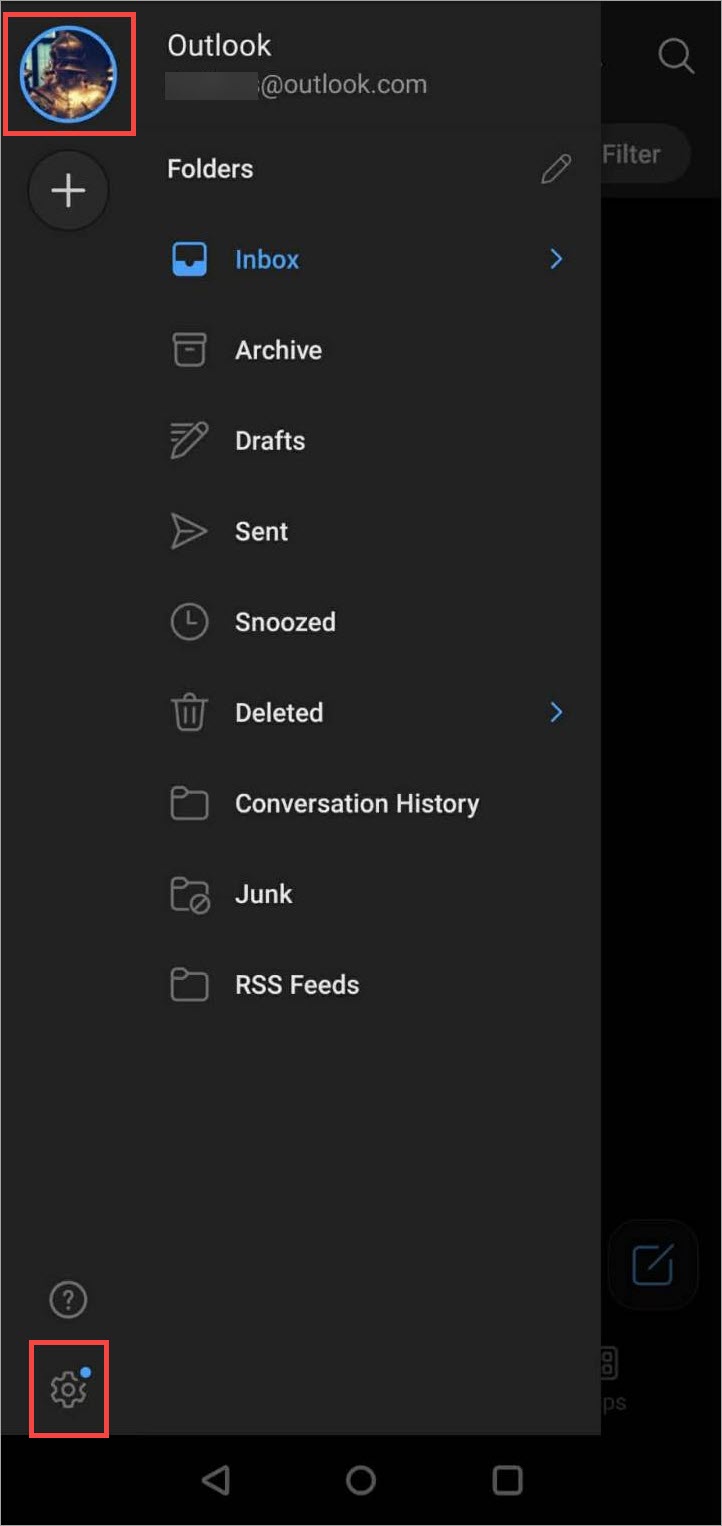
Open the menu, then open Settings.
- Under Quick Settings, select Signatures.
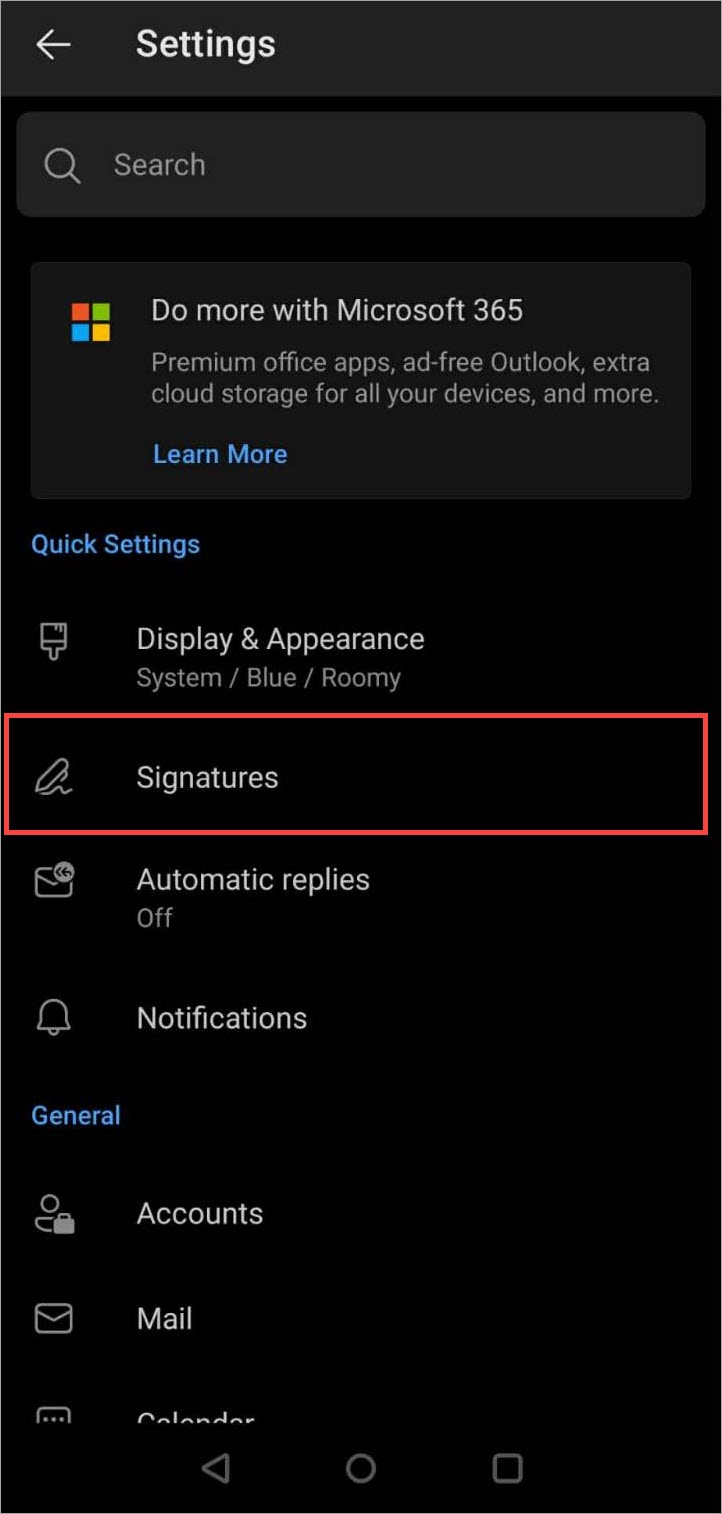
Open Signatures.
- Delete the text, then select the tick icon to save.
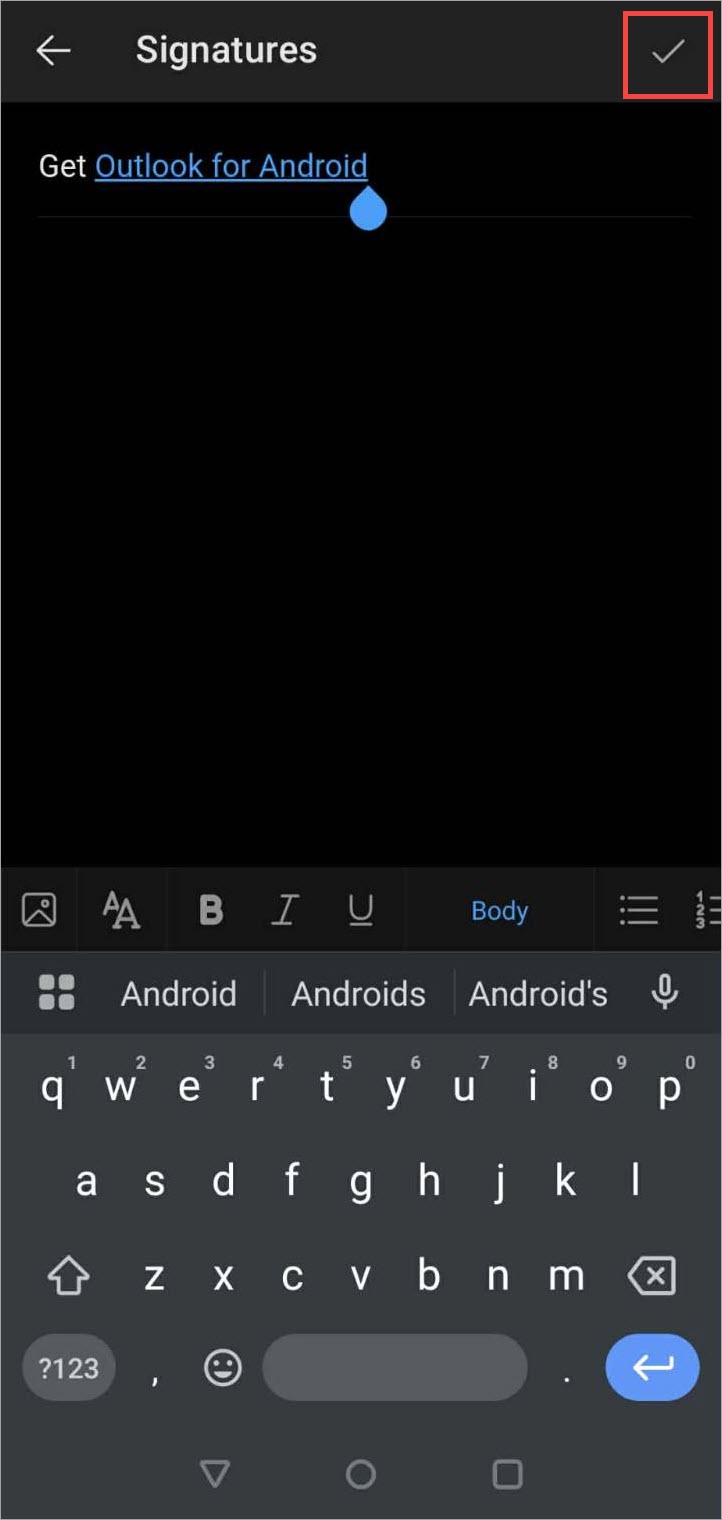
Remove or edit the text as required, then save.
- Select the Back arrow to return to Settings.