
Scenario
You are using the iOS Mail app on a mobile device and are sending an email to another of your own accounts. The message body does not load and instead reads 'This message has no content.' When the email is sent to a different recipient or viewed on another device/email client, the message content displays correctly.
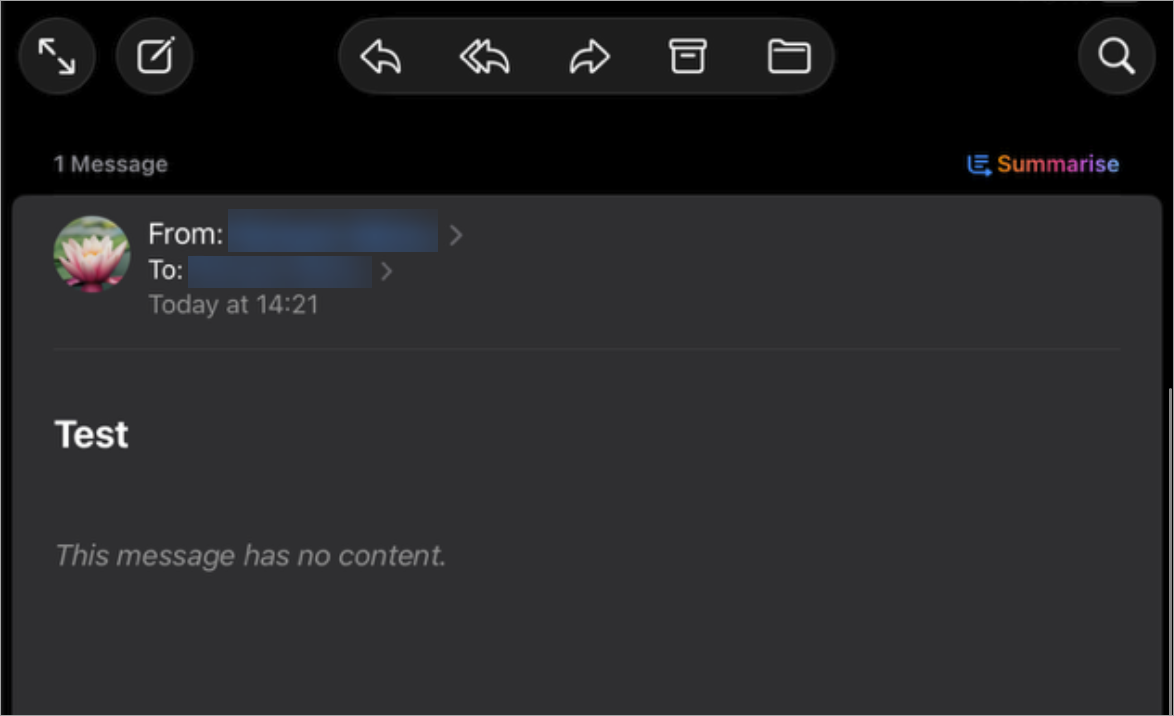
An example of an email displaying the error.
Reason
This issue occurs when you have both your sender and recipient mailboxes configured on the same iOS device. For example, you are sending an email from your Microsoft 365 account to your Gmail account, and have both your 365 and Gmail inboxes available on your mobile device.
When both mailboxes exist on the same iOS device, Apple Mail attempts to retrieve the message body from the local Sent Items folder instead of downloading it from the mail server. Exclaimer signatures use complex HTML, which Apple Mail struggles to render correctly from the local copy, resulting in an empty message body. When sending to a different recipient or on another device, Apple Mail downloads the message directly from the server, so the signature renders correctly.
Resolution
This is a limitation of Apple Mail and is not controlled by Exclaimer.
We recommend viewing emails sent between your accounts on a different device to ensure the email loads correctly.