
Description
The HubSpot Lists feature allows you to synchronize your HubSpot CRM with Exclaimer, giving your Exclaimer subscription access to the email contacts held in your HubSpot CRM.
Once you have integrated with your HubSpot CRM, you can set certain signatures to apply to contacts in the lists using recipient rules.
NOTE: This feature is only available in Pro Plan. For more information on pricing plans, see Exclaimer Pricing Plans.
How to access it
- Log into your Exclaimer account and launch your subscription.
- From the header bar, select the cogwheel icon to open the Settings menu, then select Integrations.
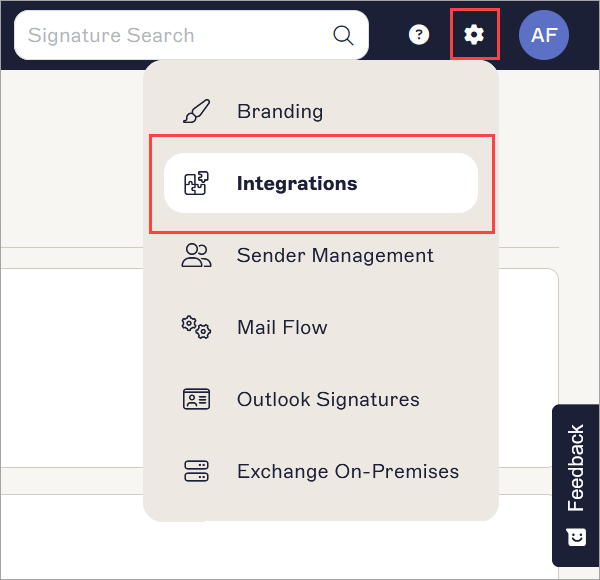
Select the Integrations option.
Integrating your HubSpot account with Exclaimer
-
Under HubSpot Lists, select Connect with HubSpot. This opens the HubSpot authorization screen in a new window.
NOTE: You may need to allow your browser to open pop-ups from Exclaimer to access the window.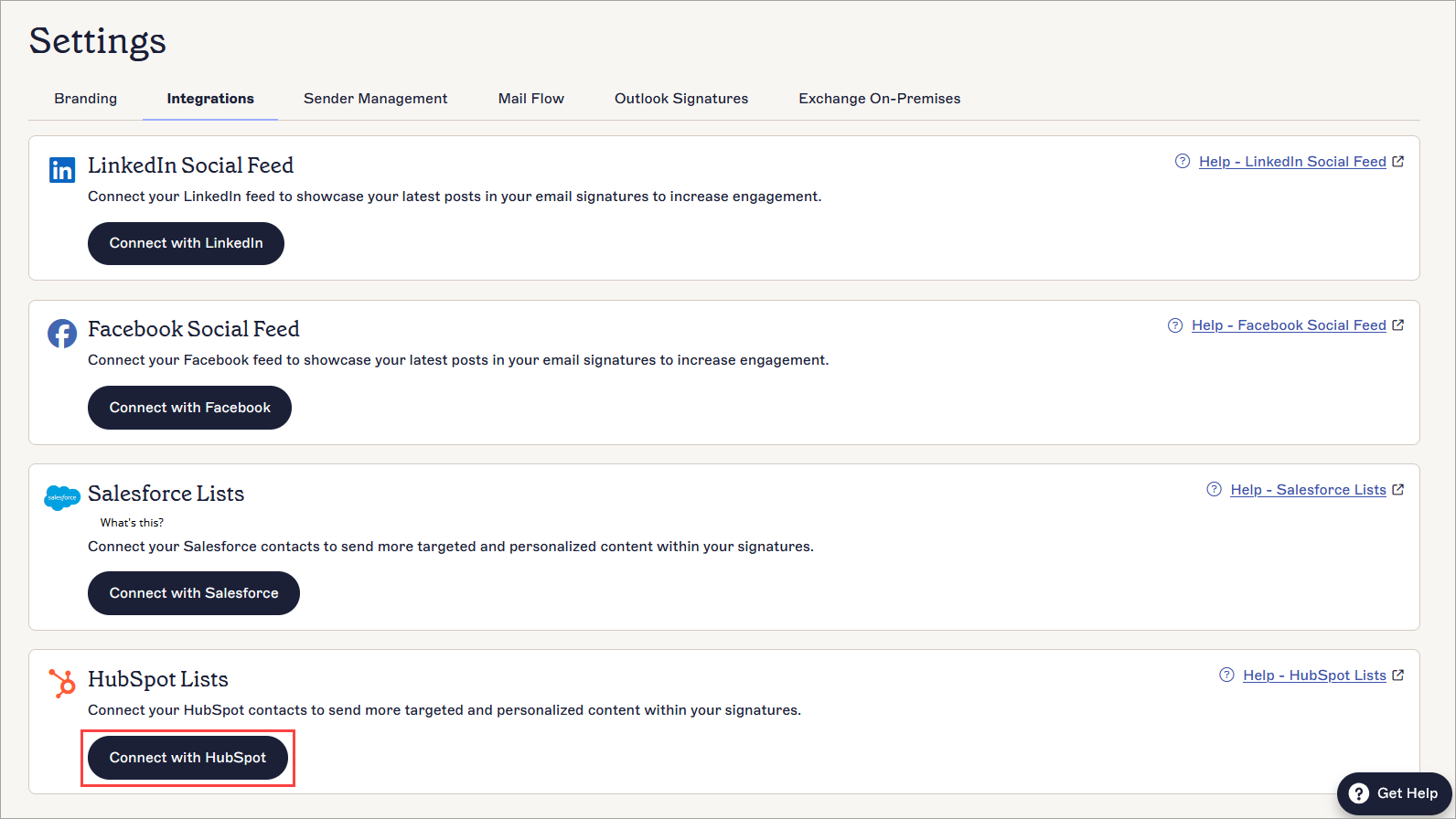
Select Connect with HubSpot.
- Enter your HubSpot account credentials and select Log In.
- Select the HubSpot account you wish to integrate with Exclaimer, then select Choose Account.
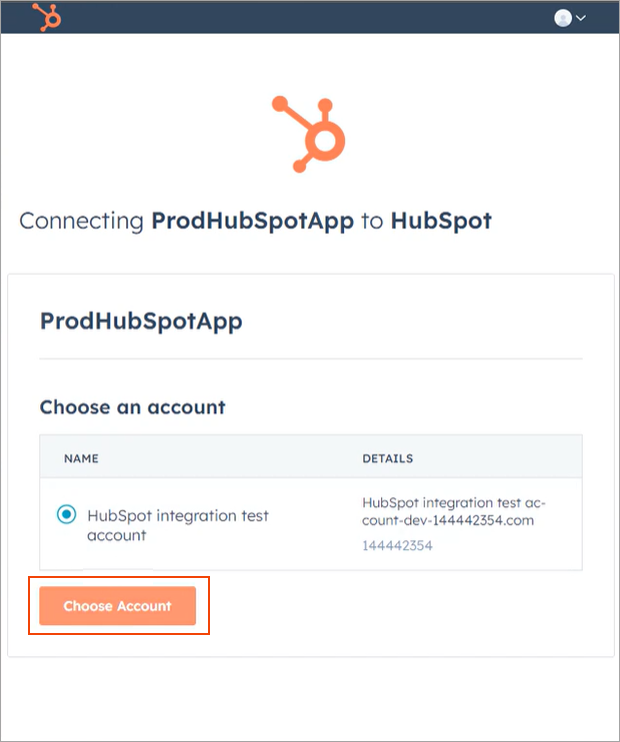
Select your HubSpot account.
- Select Connect app.
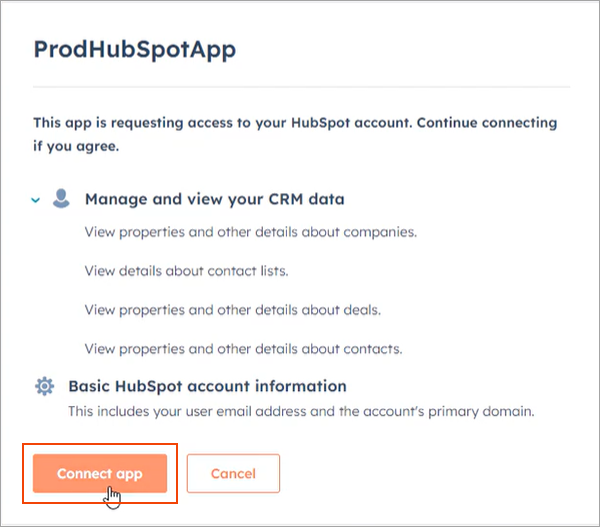
Select Connect App.
- To change the connected account, select Change HubSpot Settings.
- To remove a connected account, select Remove HubSpot Account.
Next steps: Wait for your data to synchronize from HubSpot. The initial synchronization happens immediately and will automatically resynchronize every day at 3 AM local time. After the initial synchronization, you can add recipient rules on a per-signature basis that use the lists you created in HubSpot CRM. See Signature Recipients for how to define recipients based on HubSpot Lists.