
Scenario
You are using the Exclaimer Outlook Add-in with the classic version of Outlook and find that the signatures are not inserted into the email. The error "Unable to download default signature. Status 401" is reported in Outlook.
The below version of Outlook have been reported to be affected by this issue:
Outlook version: 2402 17328.20184
Outlook version: 2401 17231.20236
Outlook version: 2401 17231.20290
Outlook version: 2402 17328.20124
Resolution
In order to resolve this issue you can try reauthorizing the Add-in:
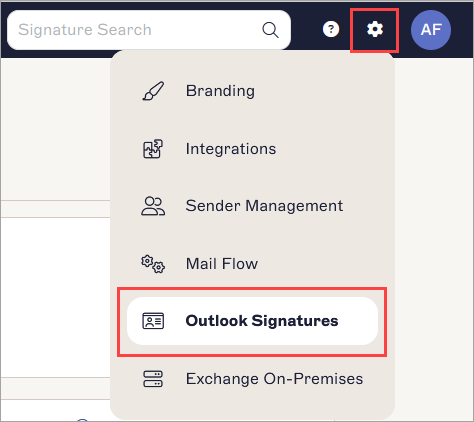
From the header bar, select the cogwheel icon to open the Settings menu, then select Outlook Signatures.
 NOTE: It is only available for Microsoft 365 users.
- It is visible only when you have configured Exclaimer - Signatures for Microsoft 365 for Client-Side signatures.
- It is not visible to Editors. For more information, please see the User Management.- In the right-hand pane, under Enable Signatures to be downloaded for Outlook and Apple Mail, are all the relevant options.
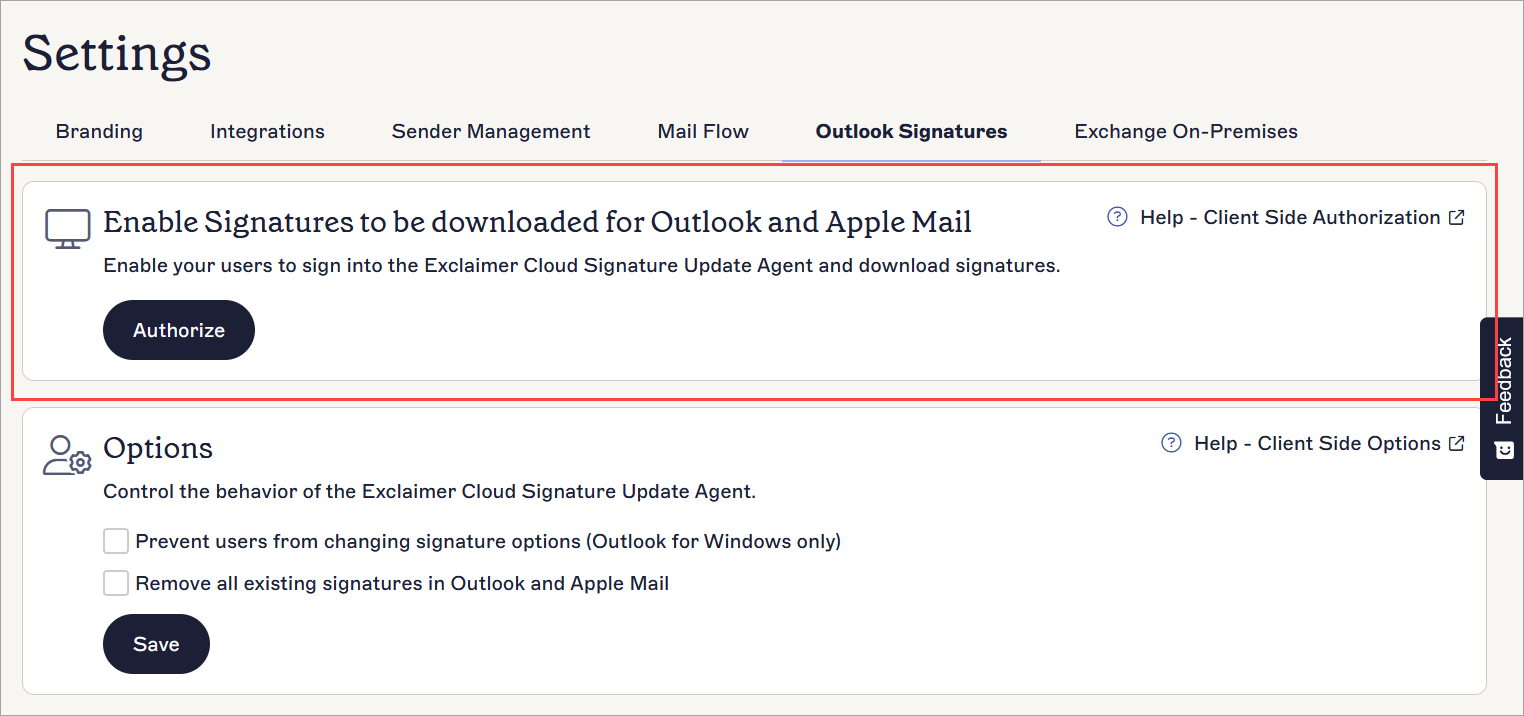
Authorizing Client-Side signatures
To initiate Client-Side authorization:
- Click AUTHORIZE.
- You are prompted to sign in to Microsoft 365 as a Global Administrator.
- Once signed in, you are prompted to accept a permissions request with a list of permissions that Exclaimer will have when the Signatures for Outlook feature is enabled.
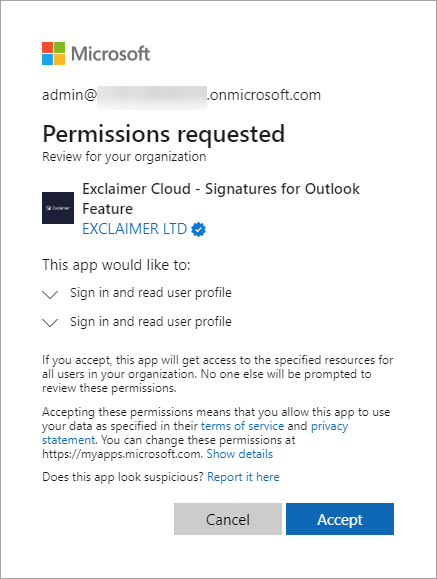
- Click Accept.
Once the authorization is successful, users will be able to sign-in to the Client-Side agents to receive their signatures.