
Description
The User Activity Log feature creates a CSV file for subscription Owners and Auditors, showing a UTC date and timestamp for all users who are currently logging in to a subscription, and details of their user role as Admin, Editor, or both.
NOTE: User Activity Logs are only available in Pro plans. For more information on pricing plans, see Exclaimer Pricing Plans.
How to access it
- Log in to your Exclaimer account using your subscription Owner credentials and launch your subscription.
- From the header bar, open the Account menu by selecting the initials icon, then select User Activity Log.
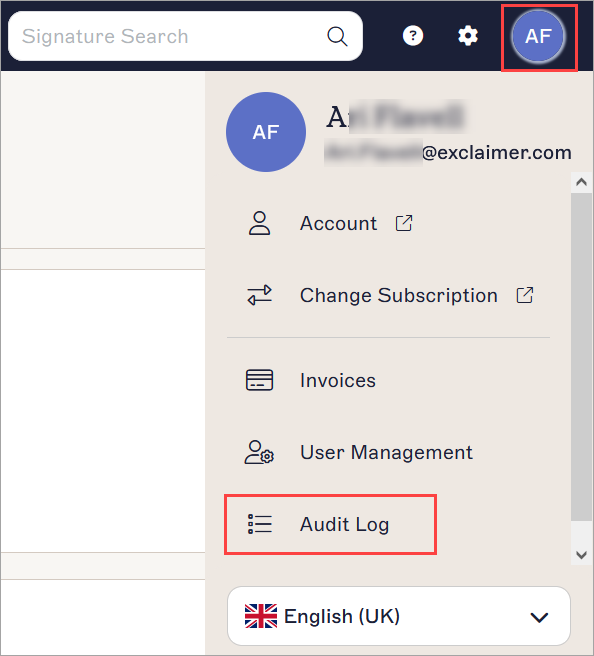
Select the initials to open the Account menu. The initials are of the user currently logged in.
Viewing the User Activity Log
To download and view the User Activity Log:
-
On the User Activity Log page, select Download.
NOTE: Only subscription Owners and Auditors can download an Activity Log. For more information on setting user roles, see User Management. - Choose a location to store the CSV file and select Save.
- Open the CSV file to show user role, date, and time information for all users logging in to the subscription.